> ## Documentation Index
> Fetch the complete documentation index at: https://docs.seitrace.com/llms.txt
> Use this file to discover all available pages before exploring further.
# Watch list
## **The Watch List Feature:**
* Allows users to track specific addresses
* Notifies users via email about incoming or outgoing transactions for listed addresses
* Supports both EVM and Native SEI addresses
## **To use the Watch List feature:**
### **Add from Profile > Watch list**
1. Log in to your account at [https://seitrace.com/auth/profile/](https://seitrace.com/auth/profile/)
2. Navigate to Profile > Watch list
3. Click the "Add" button to create a new watch list entry
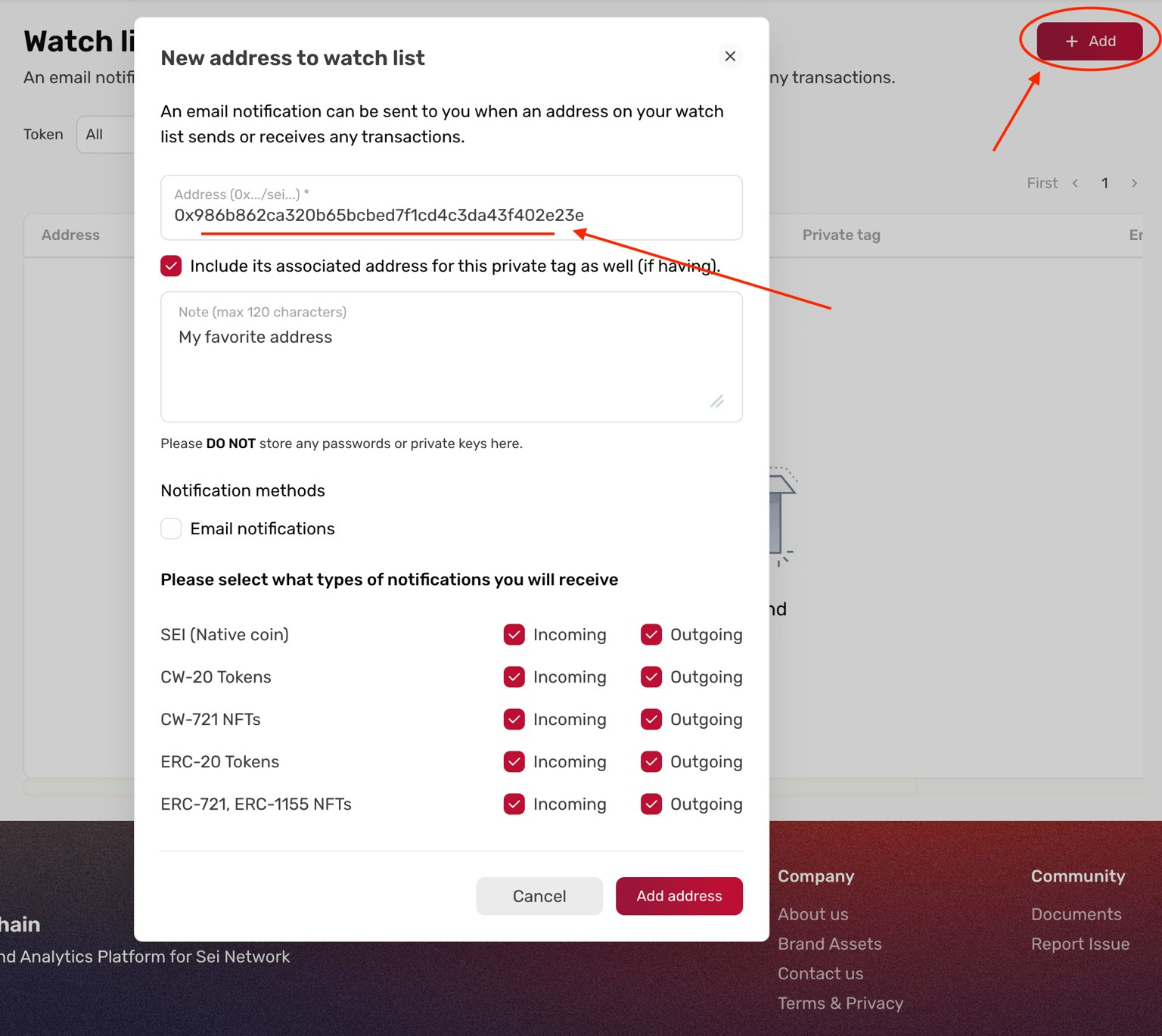 4. Enter the address you want to track in the "Address (0x.../sei...)" field. This can be a user address or smart contract address
5. If there's an associated address, you have the option to include it in your favorites
6. Add a note for the address if desired
7. Adjust notification settings according to your preferences
8. Click "Add address" to finalize
9. The address will be added to your watch list
### **Add from address/contract details page**
1. Log in to your account at [https://seitrace.com/auth/profile/](https://seitrace.com/auth/profile/)
2. Navigate to the address or contract details page you want to add to your watch list
3. Look for and click on the star icon "☆"
4. Enter the address you want to track in the "Address (0x.../sei...)" field. This can be a user address or smart contract address
5. If there's an associated address, you have the option to include it in your favorites
6. Add a note for the address if desired
7. Adjust notification settings according to your preferences
8. Click "Add address" to finalize
9. The address will be added to your watch list
### **Add from address/contract details page**
1. Log in to your account at [https://seitrace.com/auth/profile/](https://seitrace.com/auth/profile/)
2. Navigate to the address or contract details page you want to add to your watch list
3. Look for and click on the star icon "☆"
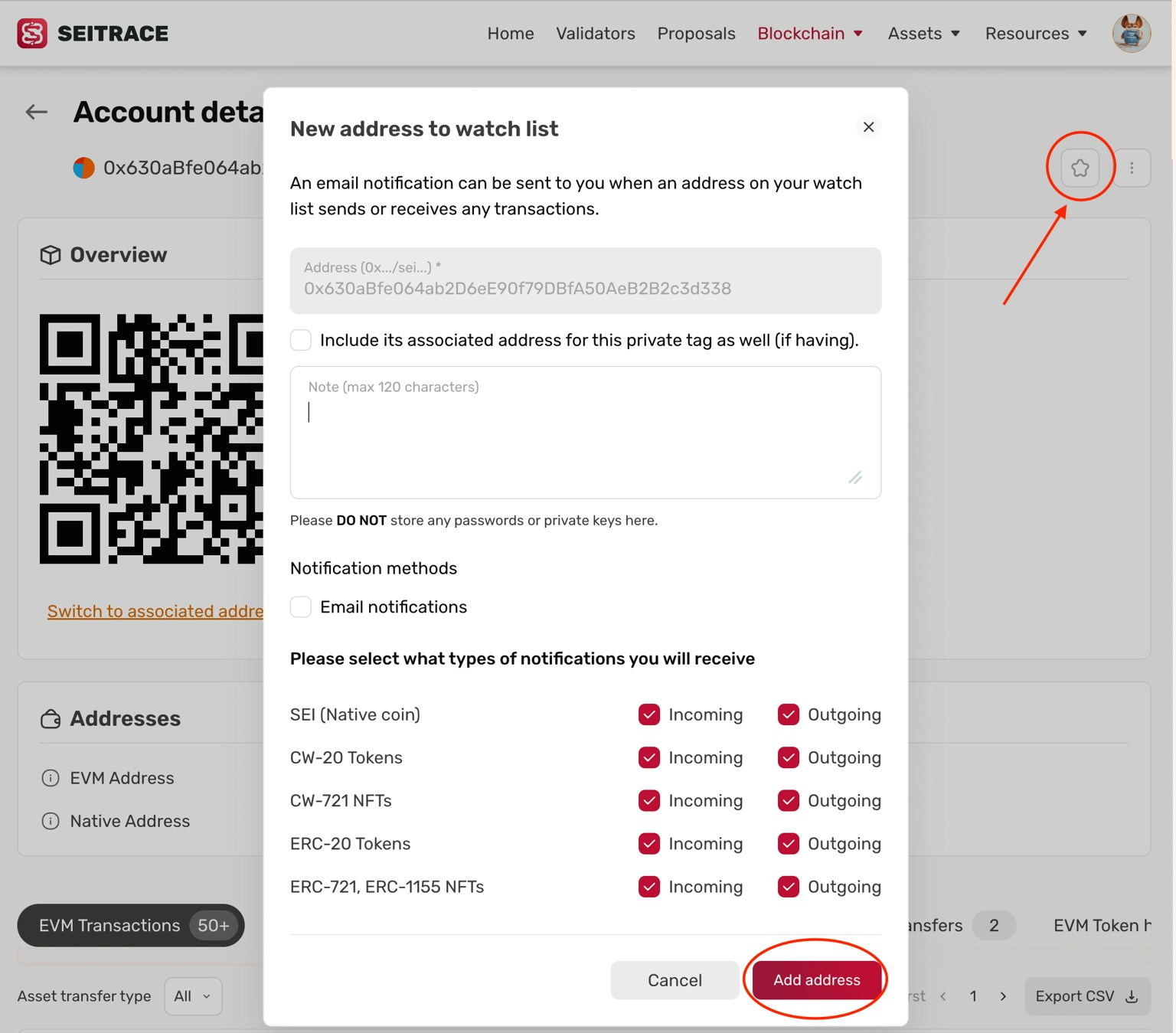 4. A popup window will appear with the Address field automatically filled
5. If there's an associated address, you have the option to include it in your favorites
6. Add a note for the address if desired
7. Adjust notification settings according to your preferences
8. Click "Add address" to finalize
9. The address will be added to your watch list
4. A popup window will appear with the Address field automatically filled
5. If there's an associated address, you have the option to include it in your favorites
6. Add a note for the address if desired
7. Adjust notification settings according to your preferences
8. Click "Add address" to finalize
9. The address will be added to your watch list