> ## Documentation Index
> Fetch the complete documentation index at: https://docs.seitrace.com/llms.txt
> Use this file to discover all available pages before exploring further.
# Create your API keys
> Generate API keys for your Seitrace Insights account in a few simple steps.
## Creating API Keys
Follow these steps to generate API keys for your Seitrace Insights account:
1. Navigate to your Profile and select "API Keys"
2. Click the "Add API Key" button
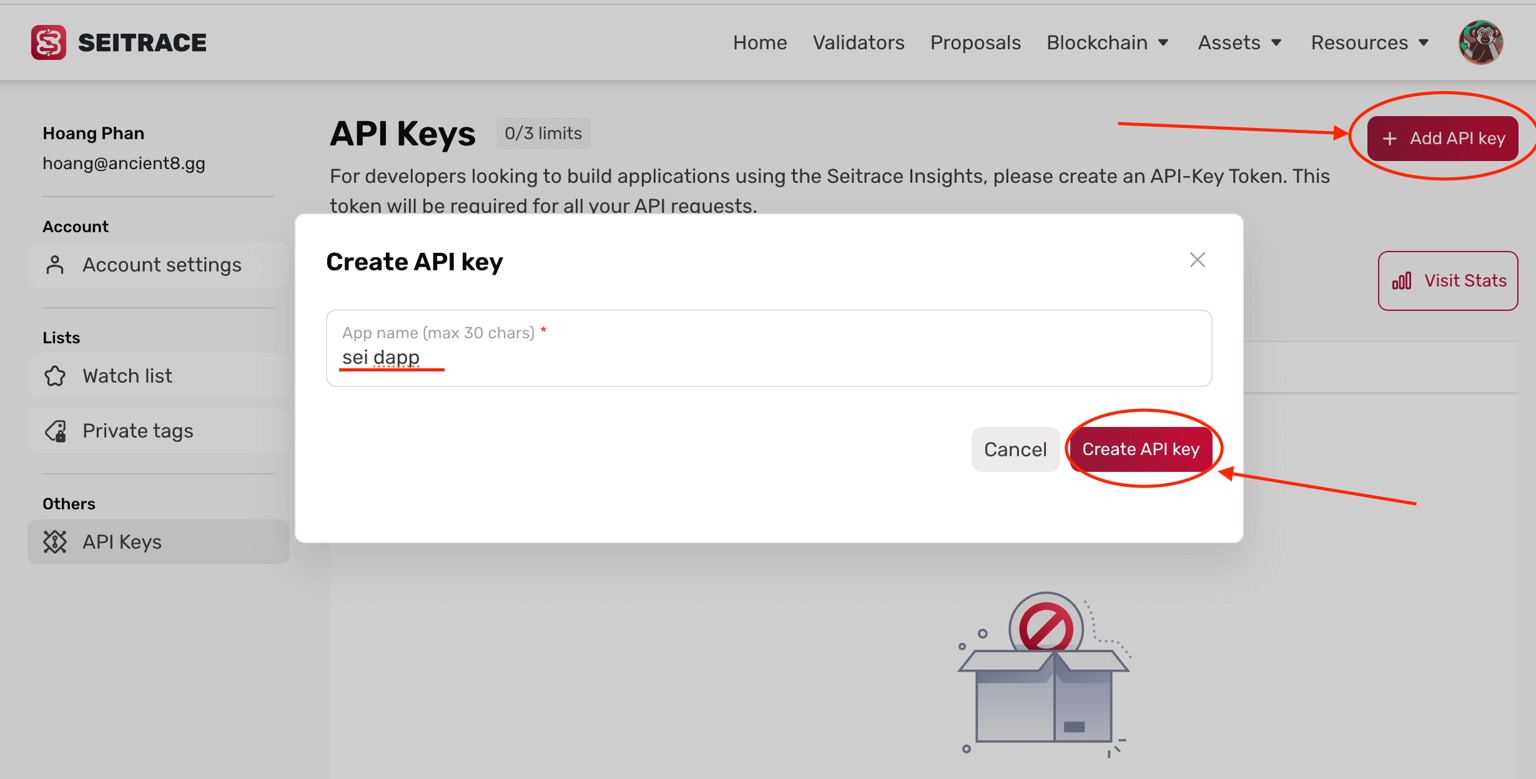 3. In the popup window, enter your "App name"
4. Click "Create API Key"
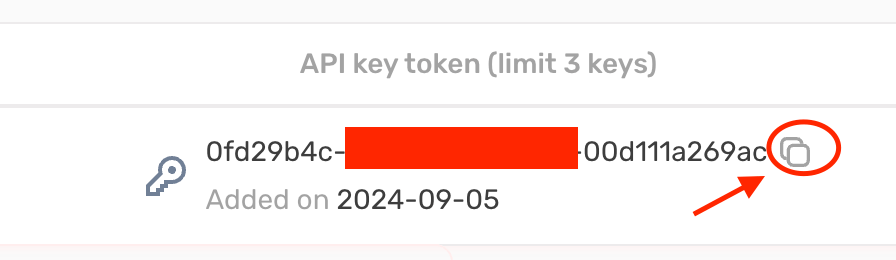
5. Copy the generated key for use in your application
3. In the popup window, enter your "App name"
4. Click "Create API Key"
5. Copy the generated key for use in your application
 ## **Important Notes:**
* There is a limit of 3 API keys per user account
* If your API credits expire or are exhausted, your account reverts to "Regular" status
* API calls made with keys from a "Regular" account will cease to function
Remember to store your API key securely and never share it publicly.
Read our Insights Docs: [https://seitrace.com/insights-docs](https://seitrace.com/insights-docs)
## **Important Notes:**
* There is a limit of 3 API keys per user account
* If your API credits expire or are exhausted, your account reverts to "Regular" status
* API calls made with keys from a "Regular" account will cease to function
Remember to store your API key securely and never share it publicly.
Read our Insights Docs: [https://seitrace.com/insights-docs](https://seitrace.com/insights-docs)